


Word Lots
4.710.77K Reviews
App Specs
- Version
- 1.76.245
- Updated On
- License
- Free
- Downloads
- 1,000,000+
- Developer
- HiPlay Games
- Categories
- Word
- Platform
- Android
Screenshots
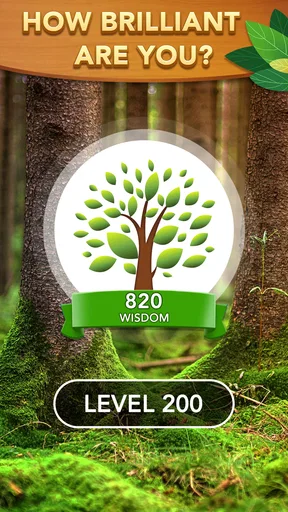
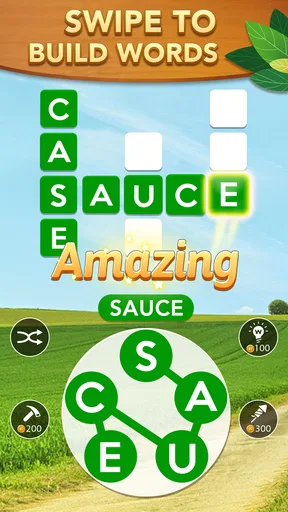
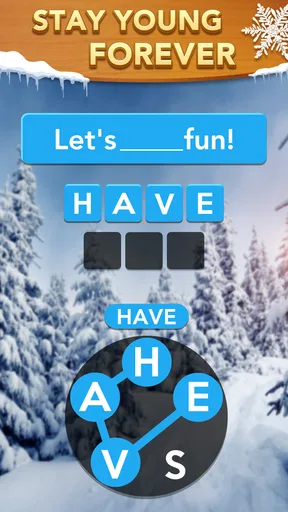

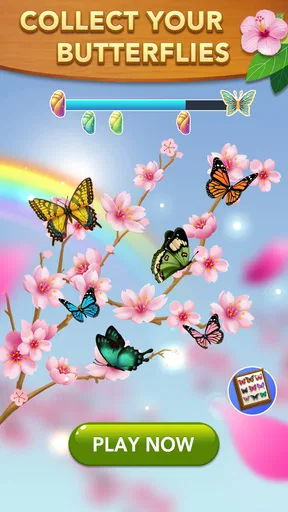
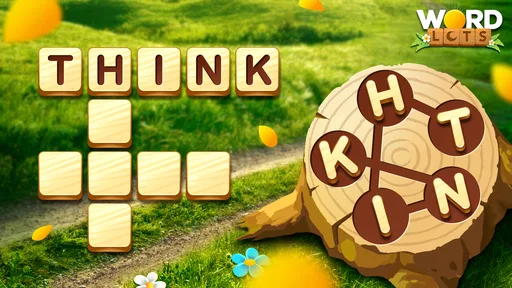
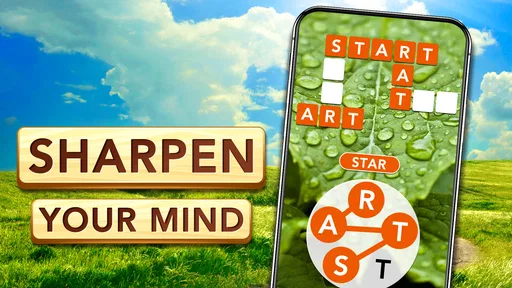
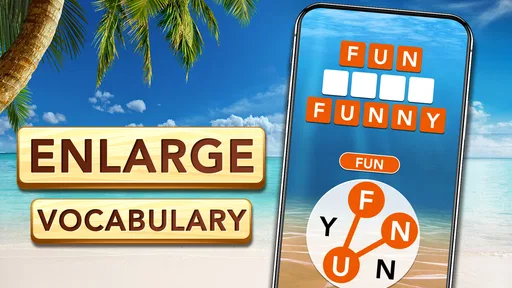
 Analysis by AppCompare
When I choose a word game, I care less about grand claims and more about whether its puzzles fit naturally into an ordinary day: can I make progress in a short break, does the challenge stay interesting, and do the helpful tools feel useful rather than necessary? Word Lots is a free word game from HiPlay Games, rated for Everyone, and its central appeal is easy to understand: make words from letters, then keep going as the puzzles become more demanding. Its average rating is 4.7 from around 47,000 ratings, and it has over a million installs, so it has clearly found an audience among casual word-game players.
Choosing the right kind of word game
The first decision is what sort of thinking you want from a game. Some word apps focus on crosswords, where clues guide each answer; others emphasize spelling, timed rounds, or head-to-head competition. Word Lots takes a more direct route: you work with a set of letters and form words by swiping. That makes it a good fit when I want to test vocabulary and spot combinations without having to read a long clue or learn a complicated ruleset.
It is also easy to approach in small sessions. I can imagine opening it while waiting for a coffee, during a quiet commute, or between household tasks, solving a puzzle and putting the phone away. The short-session appeal does not mean every round will feel effortless, though. The puzzles start simply and become more challenging, so a quick break can turn into a longer stretch when I want to find one more answer.
Where its puzzle style works best
The swipe-based format rewards looking at the letters in more than one way. When I get stuck, a useful habit is to stop trying to force the first familiar word I see and instead scan for different starting letters, short words, and less obvious combinations. That small change in approach makes the game feel more like a search task than a vocabulary quiz. It can be satisfying for players who enjoy noticing patterns, even if they do not think of themselves as word experts.
The progression is another reason it can hold attention. Early puzzles give a player room to understand the basic interaction, while later ones ask for more patience and flexibility. I would treat a difficult board as a chance to slow down rather than immediately use a hint. A brief pause, or returning to the letters after solving another word, can make a previously overlooked answer stand out. This is a simple but useful way to save help for moments when it actually improves the session.
Daily challenges add a reason to return, and their rewards can make a routine feel a little more purposeful. They suit players who like a small recurring goal better than an open-ended session. If I were trying to build a light habit, I would make the daily puzzle the starting point, then continue only when I still felt like playing. That keeps the game as a pleasant break instead of turning a quick check-in into an obligation.
Helpful tools and the trade-off of using them
When a puzzle stalls, the game offers power-ups such as shuffling the letters or getting hints. These are useful in different ways: a shuffle can interrupt tunnel vision and present the same choices in a fresh arrangement, while a hint gives more direct assistance. I would try a shuffle first if I felt mentally stuck but still wanted to solve the board myself. A hint makes more sense when I have genuinely run out of ideas or want to keep a short session moving.
Worth Reading Before You Choose

EA SPORTS FC Mobile 26 Is a Bigger Football Game, but It Takes Time

Flipboard Shows What News Apps Must Do Beyond the Feed

Switching to Android Auto Means Rethinking Your Driving Routine

Google Calendar Makes a Crowded Week Easier to Manage

Ludo King Makes the Most of the Minutes Between Plans

Baby Panda World Brings Quick Play to Modern Phones, but Its Game Library Feels Busy
The trade-off is that help can reduce the satisfaction of finding an answer independently. I would avoid treating power-ups as the default route through a puzzle, especially when the challenge is the main reason I opened the game. Used selectively, they can ease a frustrating patch without replacing the thinking that makes a word game rewarding. Players who prefer every answer to come entirely from their own effort may simply choose not to use them.
Social play, without making it the whole point
Word Lots includes ways to connect with friends and a leaderboard for players who enjoy comparing their progress. That gives the game a more social angle than a purely solitary puzzle collection. A friend who likes casual competition could make the leaderboard a small reason to return, while someone who prefers quiet, personal play can focus on the puzzles instead.
I would not choose it solely for its community features. The strongest reason to play is still the letter-forming loop, and social comparison will matter more to some people than others. If you enjoy seeing how your progress measures up, these elements add a little extra motivation; if you would rather solve at your own pace, they do not need to define the experience.
How it compares with other word games
Compared with crossword-style games, Word Lots asks less of you in the way of interpreting clues and more of you in the way of spotting words within a group of letters. That can make it a more natural choice when you want something visual and immediate. Crossword fans who particularly enjoy solving clue references may find that the swipe-and-search approach does not scratch the same itch.
Against timed word games, its appeal is the opportunity to think through a puzzle rather than making speed the central attraction. Players who thrive on a ticking clock or direct matchups may be happier with a game built around that kind of pressure. Word Lots is better suited to someone who wants a flexible puzzle break, with optional competition alongside the main activity rather than a requirement to race another player.
It also differs from word searches, which usually ask you to locate a visible word in a grid. Here, the task is to form words from letters, so the challenge is less about tracing a known answer and more about trying possible combinations. That distinction is useful when deciding what to download: choose this one for active word-building, and look elsewhere if you want clues, a grid hunt, or a fast competitive round.
A practical way to fit it into a day
Picture a few spare minutes before an appointment. I would open the game, work through one puzzle, and use the daily challenge as a natural stopping point if I had limited time. If an answer did not come quickly, I would shuffle the letters once, scan again, and save a hint for a puzzle that genuinely blocked me. This approach keeps the session focused and avoids spending a short break repeatedly tapping for help.
At home, the same game can serve a different purpose: a longer, low-pressure activity while winding down. Because the puzzles grow trickier, I would not expect every board to be completed at the same pace. The useful question is whether I enjoy considering the letters, not whether I can clear every puzzle quickly. Someone who finds that kind of slow search calming may stay with it; someone who wants instant wins may prefer simpler rounds or a more arcade-like word game.
What to know before installing
The game is free to download, with in-app purchases ranging from $0.99 to $49.99 per item. That makes it possible to try the core experience without paying upfront, but the listed purchase range is broad enough that I would check each purchase carefully before confirming anything. If I were introducing it to a younger player, I would also keep in mind that its Everyone rating describes its age suitability, not whether optional purchases are a good fit for that household.
Word Lots was released on April 6, 2021, and its current version is 1.76.245; it requires Android 7.0 or later. The game is also available on iOS. That makes it worth checking the requirements on the device you intend to use before installing, particularly if you are setting it up on an older Android phone. Its 11,000 reviews and 4.7 average give a sense of its broad reception, but personal preference still matters more than popularity: enjoying word-building is the better predictor of whether its puzzles will suit you.
One practical question is whether it works for someone who is not especially confident with vocabulary. The gradual start gives new players a chance to get comfortable with forming words, and the hints offer a route past a sticking point. That does not mean every later puzzle will feel easy, so I would recommend it to a beginner who enjoys experimenting, rather than someone who wants every round to be immediately obvious. Conversely, experienced word-game players may appreciate the increasingly tricky boards, but those looking for advanced clue solving or highly competitive play may want a more specialized alternative.
My recommendation
So, I recently stumbled upon this little gem called Word Lots, and I’ve been hooked ever since. If you’re a fan of word games and love a good challenge, you might want to stick around and hear what I’ve got to say about this app.
Getting Started with Word Lots
First things first, downloading Word Lots is as easy as pie. You can find it on both Android and iOS, so no one's left out. Once you fire it up, you’re greeted with a clean, inviting interface that just screams, “Let’s play!” The colors are bright, the graphics are neat, and the overall vibe is pretty welcoming. It’s like walking into a cozy little library full of intriguing books waiting to be read.
The Gameplay Experience
The game kicks off with some simple puzzles to get you into the groove. Essentially, you’re given a bunch of letters and you have to form words by swiping across the screen. Sounds simple, right? Well, it starts that way, but as you progress, things get trickier. It’s like the app knows when you’re getting too comfortable and throws in some curveballs to keep you on your toes.
One of the features I really dig is the daily challenges. They’re like little bursts of excitement that keep the game fresh. Plus, completing them gives you rewards, which is always a nice touch. I mean, who doesn’t like a little extra motivation?
Why Word Lots Stands Out
Now, I’ve played my fair share of word games, but what makes Word Lots stand out is its balance between fun and challenge. It’s not just about finding words; it’s about finding the right words. And trust me, there’s a big difference! The app doesn’t just test your vocabulary, it also sharpens your strategic thinking. You have to plan your moves and sometimes think outside the box. It’s like a mental gym workout.
Oh, and let’s not forget about the power-ups. They’re like little lifesavers when you’re stuck. You can shuffle the letters or get hints, which can be a real game-changer when you’re on the brink of tearing your hair out.
Community and Connectivity
One of the things I appreciate about this game is its social aspect. You can connect with friends and even make new ones. There’s a leaderboard, so if you’re the competitive type, you’ll have plenty of opportunities to show off your word prowess. It’s like having a mini word tournament in your pocket!
Plus, there's a lovely community of players who are just as obsessed with words as you are. It's nice to know you're not alone in your quest for word domination.
Final Thoughts
In conclusion, Word Lots is a delightful mix of fun, challenge, and learning. It’s one of those games that you can pick up for a quick five-minute break, but end up playing for an hour. It’s addictive, but in the best way possible. Whether you’re a word enthusiast or just looking for a way to keep your brain sharp, this app is definitely worth checking out.
So, why not give it a try and see if it can find a cozy spot on your home screen? Who knows, you might just end up becoming the next word master!
Pros
- Engaging puzzles to enhance vocabulary.
- User-friendly interface with smooth navigation.
- Regular updates keep content fresh.
- Offline mode available for on-the-go play.
- Minimal ads
- enhancing user experience.
Cons
- Limited hints can be frustrating.
- In-app purchases can be pricey.
- Some levels feel repetitive.
- Requires internet for updates.
- Occasional lag on older devices.
FAQs for Word Lots
What is Word Lots and how does it work?
Word Lots is a word puzzle game available on both Android and iOS platforms. The game challenges players to connect letters to form words, helping to enhance vocabulary and cognitive skills. With each level, complexity increases, offering a fun and engaging way to test and improve your word knowledge.
Is Word Lots free to play, or are there in-app purchases?
Word Lots is free to download and play, but it includes in-app purchases. These purchases allow players to buy hints or remove ads, enhancing the gameplay experience. While it’s possible to enjoy the game without spending money, optional purchases can make progression smoother.
Does Word Lots require an internet connection to play?
Word Lots can be played offline, making it a great option for users on the go who may not always have internet access. However, some features, such as syncing progress across devices or accessing certain updates, may require an internet connection.
What age group is Word Lots suitable for?
Word Lots is designed for a broad audience, suitable for anyone aged 4 and above. The game’s simple mechanics and educational focus make it ideal for both children and adults, providing a fun way to improve vocabulary and language skills at any age.
Are there any language options available in Word Lots?
Yes, Word Lots supports multiple languages, allowing players to enjoy the game in their preferred language. This feature is particularly beneficial for non-English speakers or those looking to practice a new language while solving word puzzles.


